Tuesday, 1 September 2015

Secure your passwords by storing them in Keepass

KeePass is a wonderful for linux environment, as we have 1Password by Agile bits for Mac, Windows, Android, and as browser addon. Unfortunately, it is not available for the linux platform. Here comes KeePass as a solution for linux users. To use the accounts in firefox, you have to install keefox, and export the password file. KeePass will you give an amazing performance and experience on linux platform.

Most of it,

KeePass is really free, and more than that: it is open source (OSI certified). You can have a look at its full source and check whether the encryption algorithms are implemented correctly.

You can install KeePass directly on windows, by downloading it from their website.


The version available for ubuntu is older, so you need to add a new repo for the latest version.
Here is the process:

sudo apt-add-repository ppa:jtaylor/keepass
sudo apt-get update
sudo apt-get install keepass2 
By adding above repository you can install the latest version of keepass2.

That's all folks for tonight. :)

Monday, 31 August 2015

Sed Tetris by uuner

This script is the best of example to prove the power of bash and sed. :-)

A game of tetris written using sed and bash by uuner for your shell.

The game has all the features of rotating blocks, increasing blocking speed and all.


So, shell scripts are not limited to automate your tasks, you can even create game using your shell scripts. There are many games available using the shell script, like snakes, tanks, and many more.

The code for sed tetris is available on the page:

http://uuner.livejournal.com/55238.html

Thank you.

Saturday, 29 August 2015

Auto update upgrade your Atom editor Package

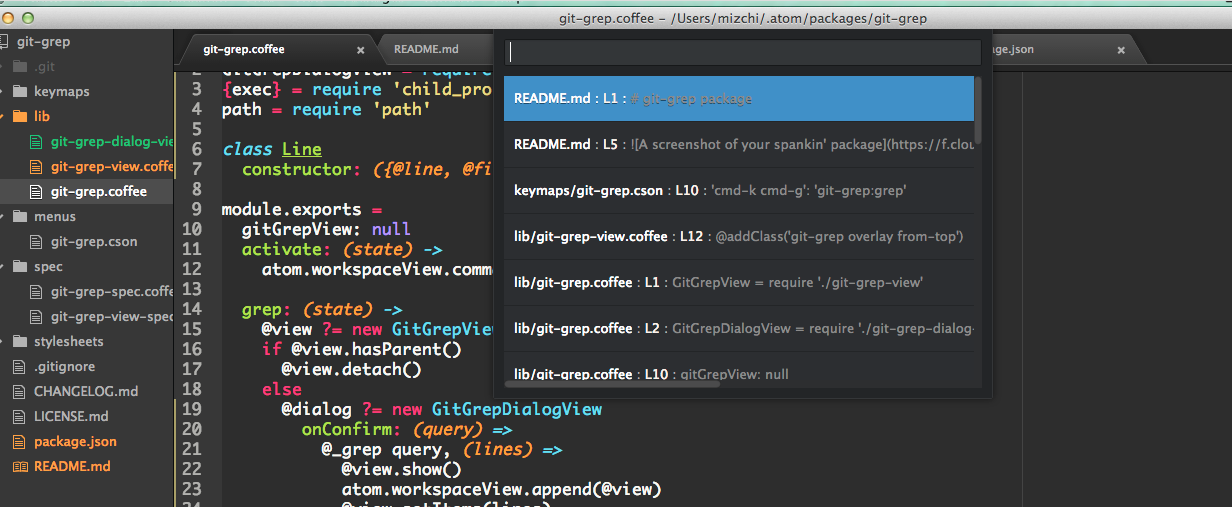
So, atom is one of my favorite text editor these days, and it has great community. You can download and read it more about the atom here: https://atom.io/


Unfortunately, it is difficult to update the atom, as it is not available in ubuntu software center, and there is no update option available for the atom yet.

So, i have found a script over askubuntu.com and it's very useful. You can use it for downloading, updating, and upgrading your atom package. You can add the same in your cron job.

Here is the code, save it as atom-auto-update.sh
and make it executable.


Save it and run it. And feel the power of new upgraded atom.

Thank you.

One liner to remove duplicate entries using awk

Hello Everyone,

Today we will discuss about one liner for removing
Sometime, we have a situation where we have the file with lots of repetitive or duplicate entries. You need to remove all those entries or count the number of those repetitive elements.

Let's suppose we have a file with below content,

my_temp_file:

this
is
a
test
file
a
file
with
repetitive
content.
Ways
to
remove
duplicate
duplicate
lines

Now, to remove the duplicate entries, use the below awk one liner:

$ awk '!a[$0]++' my_temp_file
this
is
a
test
file
with
repetitive
content.
Ways
to
remove
duplicate
lines


Now, if you don't bother about the order, you can use sort and uniq in below manner:

$ cat one-liners/my_temp_file | sort | uniq
a
content.
duplicate
file
is
lines
remove
repetitive
test
this
to
Ways
with

It will do the same, but don't preserve the order of file.

You can watch the YouTube video here:


Thank you

Add your comments for doubts.

Wednesday, 6 March 2013

Virtual Terminal For Windows lover :)

Hi ,

Are you windows lover and want to give a try to linux terminal,

So here is virtual termianl to test on :

 http://www.masswerk.at/jsuix/


Its fun way to do some experiments here.

Thanks
aksshay
aksshay@live.in

Friday, 11 January 2013

FoxGlove : Firefox + Google by Alex

FOXGLOVE a browser for GOOGLE lovers,

Alex customized the Firefox Portable & integrated his browser with Google Apps.

Alex :-

I found myself running Firefox in two windows: One with Gmail, Google Reader and other webapps, and the other for my casual web wanderings. I read about Chrome's feature that lets you can set up a standalone launcher for any webapp, but I wanted all my apps together in tabs, and I wanted access to all the customization and extensibility of Firefox, but without overhauling my current setup. Then I remembered Asian Angel's howto on running multiple copies of Firefox portable. So, I decided to build a second Firefox install specifically around using Google Apps, one that I could run side-by-side with my regular Firefox browser.
 

Thursday, 10 January 2013

WMIC - WIndows Management and instrumentation Console - Powerful command line tool for Windows

Hi Friends,

Today i am going to discuss about the very powerful tool by windows known as WMIC,

Task Manager - Not working
Windows Defender - Not working
IE - unable to start
System got hacked.

Now what can i do?

Proceed for WMIC tool (Windows Management Instrumentation Console (Command line tool))

Benefits - In built tool by Microsoft.

So how to work with it?

wmic process [pid] delete - equivalent to kill -9 pid as in ubuntu - To kill the process
wmic process where name='cmd.exe' delete
wmic process list brief /every:1 - Similar to top command as in linux
wmic useraccount - To know about the account details
wmic startup list full - Startup Programs


A good example by Alan Ridgeway - C:\> wmic /output:[file] [stuff you want it to do] /format:[format]
Ex - wmic /output:os.html os get /format:hform

Will post all your data, in a html format, you can output your data in CSV,PDF etc version.

To find alias info

wmic [alias] list full

Now start scripting with it and share some good result.

And in the last to explore more, you can look for help option

wmic /?

Good day,
Aksshay Sharma
aksshay@live.in